


Major Cybersecurity Failure as Malware Harvests 184 Million Passwords
This incident is being described by cybersecurity experts as a “cybercriminal’s dream” due to the scale, sensitivity, and accessibility of the compromised data.
There is troubling news from the world of cybersecurity as a massive data breach has exposed more than 184 million unique passwords and login credentials, affecting users of major platforms such as Google, Apple, Microsoft, Facebook, Instagram, Snapchat, and many more.
This incident is being described by cybersecurity experts as a “cybercriminal’s dream” due to the scale, sensitivity, and accessibility of the compromised data.
According to a new report by cybersecurity researcher Jeremiah Fowler, the leak affected everything from Apple and Google usernames and passwords and social media logins to bank accounts.
The database containing the compromised passwords was ironically unencrypted and not password-protected itself, the report said.
The publicly accessible database contained 184,162,718 unique logins and passwords reportedly tied to email providers such as Google and a range of Microsoft products, as well as social media platforms like Facebook, Instagram and Snapchat, ZDNet reported.
Fowler shared that information from bank accounts, health services and government portals was also unprotected.
According to Fowler, as cited by Website Planet, the data appeared to have been harvested by infostealer malware, a type of malicious software that extracts sensitive information from infected devices, often distributed via phishing emails, malicious websites, or cracked software.
The hosting provider would not disclose their customer’s information, so it is not known if the database was used for criminal activity or if this information was gathered for legitimate research purposes and subsequently exposed due to oversight. It is also not known how long the database was exposed before I discovered it or if anyone else may have gained access to it.
The records exhibit multiple signs that the exposed data was harvested by some type of infostealer malware. Infostealer is a type of malicious software designed specifically to harvest sensitive information from an infected system. This malware usually targets credentials (like usernames and passwords) stored in web browsers, email clients, and messaging apps. Some variants of the malware can also steal autofill data, cookies, and crypto wallet information — some can even capture screenshots or log keystrokes.
It is not known exactly how this specific data was collected, but cybercriminals use a range of methods to deploy infostealers. For instance, they often conceal malware within phishing emails, malicious websites, or cracked software. Once the infostealer is active, the stolen data is often either circulated on dark web marketplaces and Telegram channels or used directly to commit fraud, attempt identity theft, or launch further cyber-attacks.
Fowler validated the authenticity of the breach by contacting some of the affected individuals, who confirmed their credentials were accurate and current.
In yet another huge data breach, a massive number of account credentials such as logins, passwords to email and bank accounts have been exposed online.
Read: https://t.co/vwXwzo14j8 pic.twitter.com/Uihh8Tojlp
— NDTV Profit (@NDTVProfitIndia) May 28, 2025
The cybersecurity expert is warning that the data can be used in a variety of ways.
Credential Stuffing Attacks: Users with the same password across several accounts are vulnerable to hackers who could test various password and email combinations across other websites.
Phishing And Social Engineering: Cybercriminals can obtain a history of a person’s contacts and chats and later target them with phishing attacks.
Ransomware And Espionage: Fowler found numerous business credentials in the compromised data. The attackers can use this information for corporate espionage, ransomware campaigns, and to steal company documents.
State And Government Attacks: Fowler observed many government accounts, which an attacker can use to target state organisations.
In the wake of this report, cybersecurity experts are recommending that users change their passwords and implement multi-factor authentication.
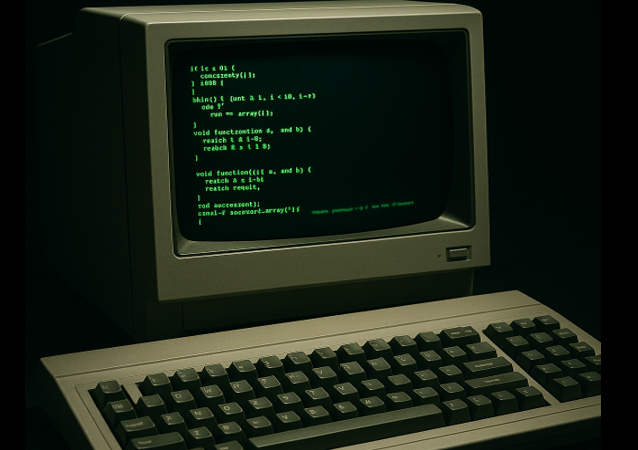
Image by perplexity.ai
Donations tax deductible
to the full extent allowed by law.





Comments
guessing current fbiiiiswampers
password
Password
password1
Password1
…
kid’s birthdate
own birthdate
wife’s birthdate
side-piece birthdate
phone number
dog’s name
The best one is:
GoofyMickyPlutoYogiRockyDaisyHuey BullwinkleCarsonCity
Why? Because the password instructions say use eight characters and a capitol!
1-2-3-4-5
That’s the kind of thing an idiot would have on his luggage!
“mother” used to be one of the most common passwords.
Also “password”
The database containing the compromised passwords
OK, let’s be clear: the malware had ALREADY HARVESTED the information. Then it was put in an unsecured database. Which compromise do you want to discuss, the malware one or the bad guy just dumping the info on the dark web with no password?
Because the second one? THE BAD GUYS ALREADY HAD THAT INFO. This isn’t a “data breach” so much as a revealing of stuff bad guys were likely already exploiting. You were already compromised. It’s just that NOW YOU KNOW.
If you have never let your computer systems get compromised (and your providers have never been compromised – ha!) then you’re fine.
I’m surprised anybody lets their browser store passwords. Steal the physical machine and you steal the bank account. Cybertheft becomes ordinary theft.
Same deal for upcoming passkeys replacing passwords. The machine itself is unprotected from ordinary theft.
This was true perhaps 10 years ago, but consumer systems have improved since then. For example, the storage on a Macintosh is encrypted at the hardware level by their current M-class chips, and on older Intel hardware, by the Apple T2 chips added into the system since 2018. You can’t even physically remove a hard drive (SSD), mount it on another system, and expect to read anything off it. Unless you have a user password, that machine is greek to you.
Steal the whole machine. Break into your house and take.
Still can’t decode the drive without the user password.
Trust me, I’m an independent Apple-certified technician. You can’t believe how impossible this (plus the incessant MFA pings to the owner’s phone) has made data recovery for customers who have forgotten their login passwords. Used to be you could recover all their data, just not their password keychain. Now even the data is tost.
RSA used to have physical tokens that generated a new number every 30 seconds and ran in sync with one at the bank or whatever. You had to type in the correct number or the one before. That too though is subject to theft now, and its battery died every couple of years. Nice key chain fob though.
RSA still does. I have one for my work account.
Those have largely been replaced by “authenticator apps” that do the same thing, but run on your smartphone instead of a fob. They are even better, as you can connect your one app with multiple target accounts (banks, registries, many other services offering MFA security) and it will generate and maintain unique rolling passkeys for every one. “Duo” is my favorite, and very simple to set up and use.
I use one as well. The one mystery is a couple have asked if I want to use passkeys; I answer yes. and they are in my passkey section of Mac passwords. The issue is: I can’t see the darned things to know how to put them into a passkey app; the one I am using is 2Fas.
Or, are tokens different from passkeys? I’m finally at that age where my geekery is not keeping up. I need a new set of blades for the propellor on my beanie.
Have not yet delved into passkeys at all yet, sorry. Actively avoiding them until the mandatory “ohshit” embargo period has expired. If accessing your sensitive data from multiple devices requires putting the passkeys out on the net so they can be “shared,” I will not recommend.
where can I find this?
I’ve forgotten 90% of the BS passwords used online. this would save me a ton of time resetting them.
Feel free to watch all the shitty netflix they want.
I had a couple of fobs for games.
So should I bother to update every single d*mn password AGAIN? I already two or three credit monitoring services provided to me free because I passwords have been hack. The first I remember was during the Obama administration when everyone who held a security clearance had all their info stolen by the Chinese. Oh, and yes, my credit accounts are locked.
Your best security is to go to the sites that matter to you most and turn on authenticator-based MFA — if they offer it, and if you are not a flip-phone holdout. Otherwise, change your passwords.
There are sites and apps that will tell you if any account identified by your email address, or “user name,” or whatever you may use on various sites to login to things, have been associated with a breach. One I know off the top of my head is https://haveibeenpwned.com, from the trustworthy makers of the 1Password password management system. The question is going to be how soon the owners of that website will be able to process this newly found trove and make it available to check against.
I just ran mine. Three breaches. None matter as I don’t use any of those sites and haven’t for well over a decade. Adobe is one. and ever since they refused to accept a legitimate, current student ID on the purchase of software I wouldn’t do business with them even if I had need of their products.
I have 0 breaches which surprised me.
Now my old email address which I dropped 2 years ago because I was tired of paying for
it has 20 breaches.
Thanks henrybowman… I do use MFA when it’s available but I really appreciate your practical advice.
“during the Obama administration when everyone who held a security clearance had all their info stolen by the Chinese.”
“Stolen.” (snrk.) Yeah that’s the ticket.
Another reason to oppose attempts to create a mandatory digital currency to replace physical cash.
Be sure to tell that to Trump, who is supporting digital currency.
Trump supports a mandatory, government-issued digital currency?
“Be sure to tell that to Trump, who is supporting digital currency.”
Your post has exactly jack sh*t to do with either the topic OR “mandatory digital currency” i.e. CBDC. Trump’s support of Bitcoin isn’t the same thing.
Try to keep up, you idiot.
Trump has broken you. Every topic, every day, how can you blame trump for anything you see. Your entire existence is monomaniacally focused on Trump this or Trump that. I feel sorry for you. TDS is real. Get help.
They will use this (along with other incidents) to insist we “need” biometric-based logins to access anything internet. Kiss anonymity goodbye.
The old security mantra is that the best authentication involves “something you know, something you have, and something you are.” The first is still necessary because the other two are vulnerable to attacks against your property and your person. You don’t need to have your eye cut out Hollywood style, just have your fingerprints taken (or your finger forcibly used) to unlock your phone.
I turned off the visual ID on my phone some time ago. The highwaymen have been snatching phones then aiming them at the person from whom they stole them so they can get in.
I do use Face ID, but only for app authentication, never to get into the phone itself.
Apple has improved Face ID such that you have to be actively looking AT the screen for it to succeed.
Have you flown internationally lately? American Airlines is using facial recognition at the gate and Immigration is using it for entry to the country with the “Global Entry” program. Additionally, my liquor store is using the bar code on the back of my license to verify my identity when I pick up a prepaid order.
That is: Private businesses are tied into the “Star/verified identity” system.
I used that link
One email had 18 breechs but none last 2 years
And the other one had one 2 years ago
I am deeply skeptical about this article (sorry Leslie).
Therefore, I asked Perplexity.ai “do websites like amazon.com store their users’ passwords unencrypted on their servers”
Websites like Amazon.com do not store their users’ passwords unencrypted (in plain text) on their servers. Instead, they use industry-standard security practices to protect user credentials.
How Passwords Are Stored
Hashing and Salting: Major websites, including Amazon, store passwords using cryptographic hash functions, often combined with a unique salt for each user. This means the original password is transformed into a fixed-length, irreversible string, and the salt ensures that identical passwords have different hashes. This approach prevents anyone with access to the database from seeing or retrieving the original password.
Encryption in Transit: When you log in, your password is sent over a secure, encrypted connection (HTTPS using TLS/SSL), preventing interception during transmission.
Evidence from Amazon and Industry Practices
Amazon’s security documentation emphasizes secure password handling and the use of secure server connections but does not state that passwords are stored in plain text.
AWS (Amazon Web Services) provides tools like AWS Secrets Manager for secure storage and management of sensitive information, further indicating a strong focus on security best practices.
Security experts and industry guidelines universally recommend against storing passwords in plain text. If a site can send you your original password (not a reset link), that’s a major red flag that it stores passwords insecurely. Amazon does not do this.
Why Not Store Passwords Unencrypted?
Storing passwords in plain text is widely considered a critical security vulnerability. If a data breach occurs, all user credentials would be immediately compromised. Proper hashing and salting ensure that even if the database is breached, attackers cannot easily recover the original passwords.
Conclusion
Websites like Amazon.com follow best security practices and do not store user passwords unencrypted. Instead, they use strong cryptographic methods to hash and salt passwords before storing them, ensuring that user credentials remain protected even if the database is compromised.
Uh huh. Trust an AI to tell you what Big Tech wants you to believe.
Now go here.
https://duckduckgo.com/?q=user+passwords+were+stored+unencrypted&t=osx&df=1990-01-01..2025-06-02&ia=web
That should suppress all the articles about this week’s particular hack, to present to you a report of all the times some major service provider — and that includes Apple. Google, and Facebook/Meta — stored unencrypted passwords.
You won’t find all the equally guilty retailers and credit services in that list, because they don’t care about your passwords — only your name, address, birthdate, income, and other personal identifying information, which is equally bad.
I the visual ID on my phone up until I got a black eye. For 11 days I could not get into my phone. Once I did I turned that crap off.
I use a PIN as a backup in case of just such a problem.
WHEN were these credentials stolen? Does anyone even know?
They might have been posted on the Dark Web because they’d grown stale and were no longer of value to the harvester.
Usually these announcements are followed with revelation articles — “researchers trace the collection of these passwords to the XYZ exploit/phish/dayzero” — but I haven’t seen anything about this one rolling through the industry blogs yet.